Inline sources are now available as an experimental feature, making it easier to verify sources.
Feature Drop: Inline Sources for Clearer Answers
Published on January 26th, 2026
We are excited to introduce a clearer, more intuitive way to verify information in Omnifact: Inline Sources.
Previously, when you asked a question that required information from your documents or the web, the sources were listed at the bottom of the response. While this gave you the information you needed, it wasn't always easy to match a specific fact to its source without scrolling back and forth. Additionally, the previous implementation sometimes listed sources that were analyzed but not actually referenced in the answer.
Sources Right Where You Need Them
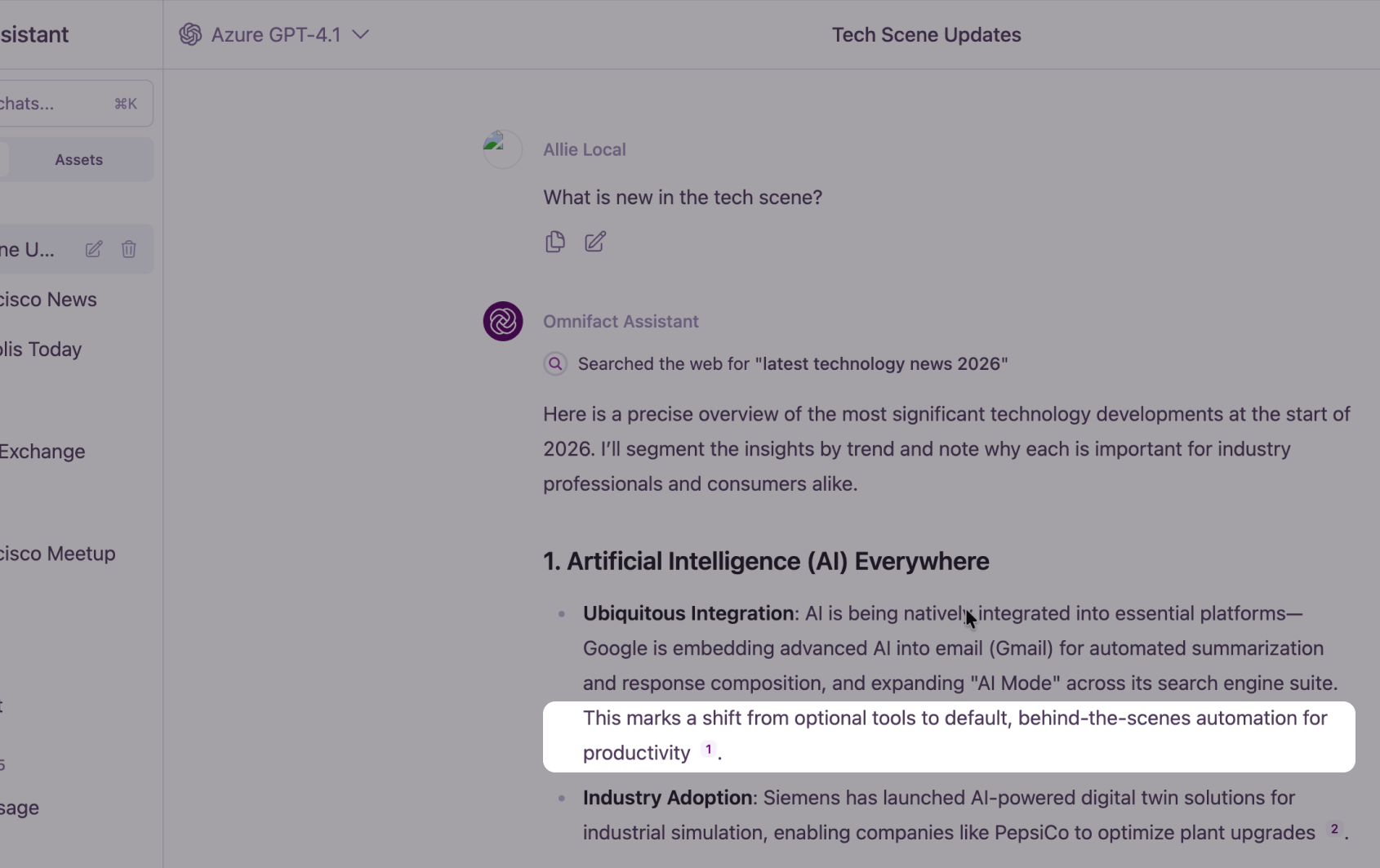
With our new Inline Sources update, we have moved the sources directly into the text. Now, when the assistant uses information from a document or a website, you will see a small source number right next to the relevant sentence. This numbered source corresponds to the source in the list underneath the message, whether it is a specific page in a PDF, a section of a text file, or a website from a search result.
Why This Matters
A Smoother Reading Experience
By integrating sources into the flow of the text, the response feels more natural and academic. You can read through the answer without breaking your focus to check a reference list at the bottom. Plus, if a source isn't used in the response, it won't appear in the citations or the reference list at the bottom—keeping your view clutter-free.
Works Everywhere
This improvement applies to both Knowledge Base queries and Web Search results in Chats and Spaces. Whether you are digging into your internal data or researching a topic online, your sources are always easy to track. Inline Sources work seamlessly whether you're chatting with your documents or asking questions about your knowledge base.
Try It Today
Inline Sources are rolling out starting today. Start a chat in one of your Spaces and ask a question about your documents to see the new inline sources in action. We believe this small change makes a big difference in how you interact with and trust the information Omnifact provides, especially when building effective AI assistants with internal knowledge using Enterprise RAG.