Upload entire folders from cloud providers or your local device
Feature Drop: Folder Uploads for Integrations & Local Files
Published on January 19th, 2026
Update (May 30, 2026): Cloud folders can now be automatically synced to your Spaces using Connected Sources.
Building a comprehensive knowledge base often means working with collections of documents, not just single files. Starting today, you can upload an entire folder directly into Omnifact—whether it's on your computer or in the cloud.
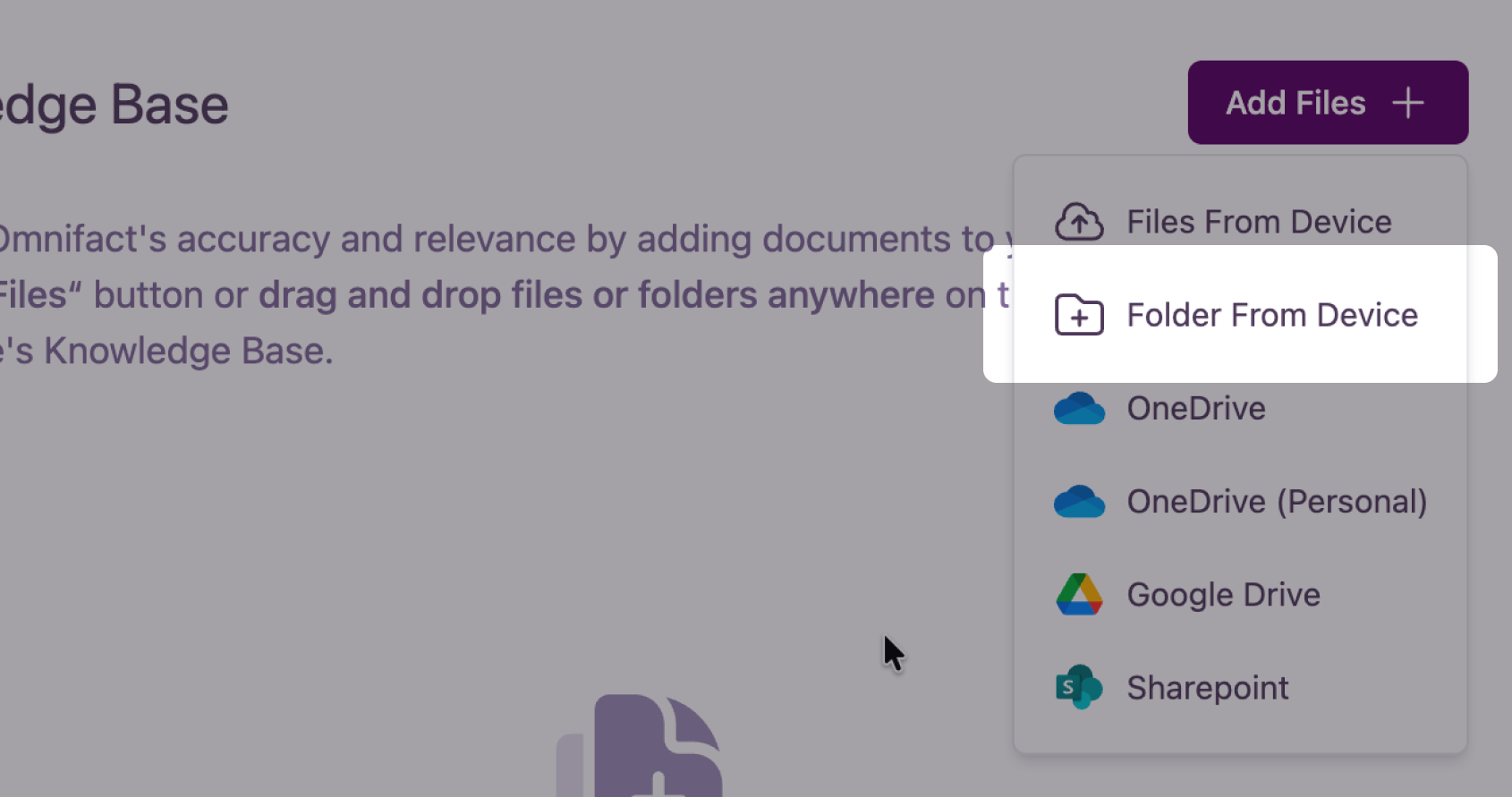
This update brings folder support to our existing Cloud Integrations (OneDrive, Google Drive, and SharePoint) and introduces local folder upload and drag-and-drop.
Bulk Uploads
Previously, adding multiple related documents meant selecting them one by one. Now, you can select a folder and Omnifact will handle the rest.
- Cloud Integrations: When browsing OneDrive, Google Drive, or SharePoint, you can now select folders to import all supported documents within them.
- Local Upload & Drag & Drop: Upload a folder from your desktop by dragging and dropping it into Chats or Spaces, or select the "Folder from device" option when adding to a knowledge base.
Why This Matters
- Save Time: No more manual selection of dozens of files. Move entire project files in one go.
- No Missed Files: Eliminate the risk of overlooking important documents by selecting the entire source folder.
- Comprehensive Context: Quickly give your AI Assistants access to full repositories of information, ensuring they have the complete picture.
We're committed to making knowledge ingestion as frictionless as possible. Try uploading a folder today and see how much faster you can build your context.